Pardot Reporting Tips Using Salesforce Child Campaigns
What Salesforce child campaigns are, when to use them with Pardot and when not, and how to plan the hierarchy so campaign data rolls up the way your reports need.

Salesforce campaign hierarchies, with parent and child campaigns, give you meaningful reporting insight in Account Engagement (Pardot) when you set them up with a plan.
This article explains what child campaigns are, when and how to use them, and which reporting practices make them worth it.
- Link a campaign to another through the Parent Campaign field and it becomes a child campaign; its data rolls up the hierarchy.
- Use child campaigns for events at different times or places, the same content across channels, or different audiences.
- Don’t use them to track milestones (campaign member statuses do that) or to split work between team members.
- Gather reporting requirements first: they shape naming conventions and campaign structure.
- Document your setup and revisit the hierarchy when your strategy changes.
Understanding Parent and Child Campaigns in Salesforce
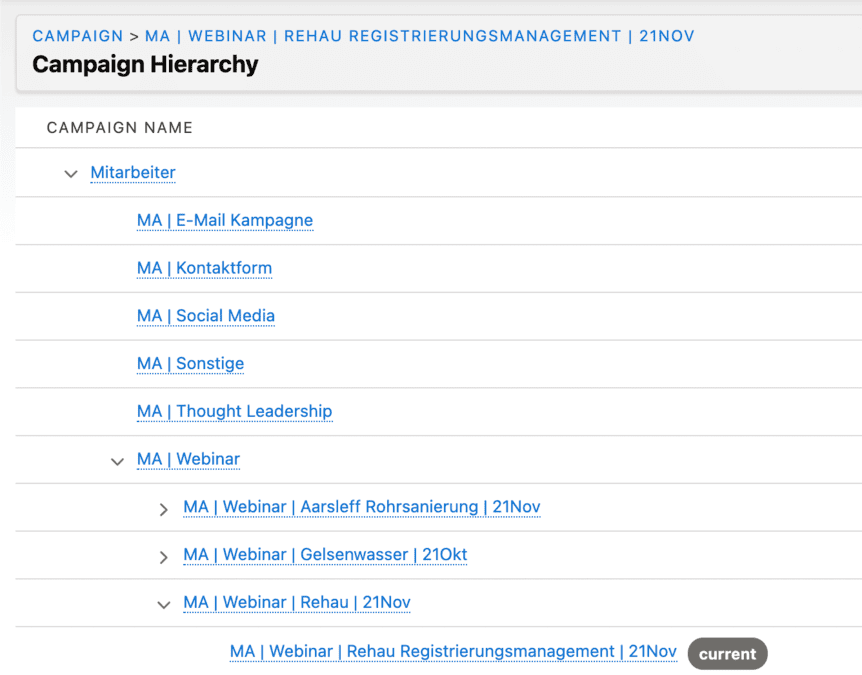
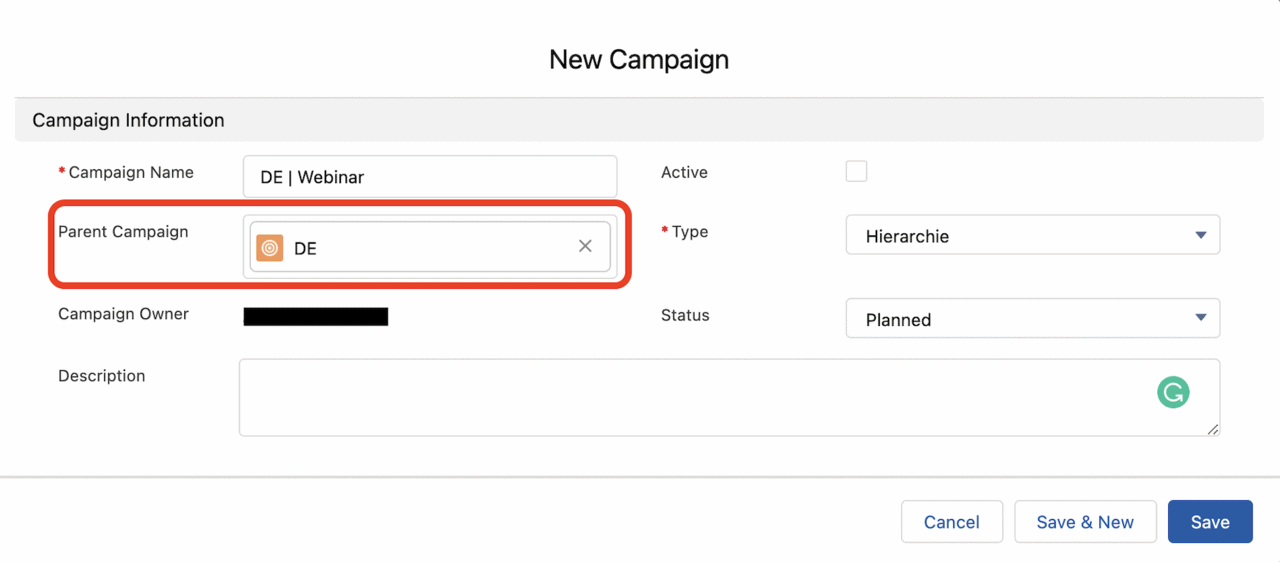
Salesforce Campaigns allow for the strategic organization of marketing initiatives, from webinars to product launches. When you introduce the concept of “Parent Campaigns,” you create a hierarchy that helps group related efforts and roll up engagement data in a structured report. A campaign that links to another through the ‘Parent Campaign’ field becomes a “Child Campaign,” forming the foundation of this hierarchy.
This structure is critical when working with Pardot (Account Engagement), where most assets – emails, landing pages, forms, etc. – must be tied to Salesforce campaigns. Through connected campaigns, engagement activity is synced to Salesforce, making accurate campaign architecture essential for sound reporting.
Campaign Hierarchy Example
Imagine you’re running a webinar series:
- Parent Campaign: “AI Webinars 2025”
- Child Campaigns:
- “AI Webinar – August 14, 2025”
- “AI – August 28, 2025”
Each child campaign can have its own unique start and end dates while rolling up metrics to the parent. This setup provides clarity across both individual activities and the broader initiative.
What Are Connected Campaigns in Pardot?
Connected Campaigns links each Pardot campaign to a Salesforce campaign, and from then on you create campaigns in Salesforce. Salesforce Help: as a prospect interacts with the assets on a Pardot campaign, the metrics are pushed to the Salesforce campaign, where marketers track influence and sales sees the path to an opportunity. If you bought Account Engagement after 22 March 2019, the feature is partly on by default.
What to settle before and after you connect:
- Record types: use campaign record types to limit which Salesforce campaigns sync, and avoid the Master record type. Several business units in one org need one record type each.
- Read-only Pardot campaigns: once connected, the Pardot campaign record can't be edited, and Salesforce overwrites fields such as name, cost and archive date for good. Only active campaigns work in automations and completion actions.
- Campaign Member Sync: synced prospects appear as campaign members with the status Connected. The sync runs one way, from Pardot to Salesforce, and only for prospects that are assigned to a user and have a Pardot campaign.
- Switching it off: Salesforce advises against it. If you add Marketing Cloud Next later, a campaign you connect after the Data 360 connection starts doesn't bring its engagement data into Data 360.
Enhanced email, enhanced landing pages and Engagement History all build on connected campaigns. Our article on how the Pardot Salesforce connector syncs covers the rest of the setup, and our Pardot consulting sets up Salesforce campaigns as the backbone of your reporting.
When to Use Child Campaigns
If you’re planning multiple efforts under a shared theme or initiative, breaking them into child campaigns improves segmentation, reporting accuracy, and engagement tracking. Use cases include:
- Events at different times or locations: e.g., a roadshow in multiple cities.
- Campaigns across different channels: Track LinkedIn versus Twitter performance for the same content.
- Audience consistency, content variation: Retargeting the same list with new messaging.
Child campaigns make it easier to analyze performance on a granular level while grouping results into higher-level reporting dashboards that monitor broader trends.
When Not to Use Child Campaigns
While child campaigns are powerful, they’re not a one-size-fits-all solution. Avoid using them in the following cases:
- To track engagement milestones: Use Campaign Member Statuses for tracking RSVPs, attendance, or form completions instead.
- To split campaigns by team members: Assign campaign member records using ‘Record Owner’ rather than producing redundant campaign entries.
- To represent broad categories: Fields like ‘Type’ or structured naming conventions can replace unnecessary hierarchy levels (e.g., no need for a “Webinar” parent if you can filter by the campaign type). Our campaign naming convention generator gives every name the same structure.
Always evaluate whether campaign segmentation will benefit reporting or if the same results can be achieved through existing fields and filters.
Top 3 Considerations for Using Child Campaigns Effectively
Implementing campaign hierarchies isn’t just about structure – it must serve your reporting and marketing goals. Here are three essential considerations:
1. Gather Reporting Requirements Up Front
Before setting up your campaign framework, ask your teams critical questions about what they need to track. These conversations shape naming conventions, required fields, and the campaign hierarchy structure. Here’s how this approach can translate:
| Reporting Goal | Implementation Suggestion |
|---|---|
| Track campaign duration | Make ‘Start’ and ‘End Date’ mandatory |
| Evaluate social media performance | Use child campaigns per channel and set ‘Type’ field accordingly |
| Report quarterly trends | Use parent campaigns like “Q1 2024”, “Q2 2024”, etc. |
| Analyze volunteers by event | Create campaign member statuses and custom fields |
| Compare locations’ attendee data | Assign child campaigns to each location |
2. Create Data Quality Reports
Even a well-designed campaign model won’t deliver reliable results if the data isn’t consistently complete. Build reports that monitor required campaign attributes and add them to your marketing operations dashboard. Examples include:
- Missing Parent Campaigns: Filter for campaigns without a ‘Parent Campaign’ populated.
- Blank Start/End Dates: Catch gaps to improve scheduling and duration reporting.
- High-value Opportunities misattributed: Flag Closed Won opportunities not linked to a child campaign for cleanup.
3. Link Opportunities to Child Campaigns
To ensure accurate campaign influence reporting, train users to relate opportunities directly to child campaigns – where the actual marketing touchpoint happened – rather than only associating the parent.
Doing this allows Salesforce to recognize marketing activities with precision and lets senior stakeholders understand not only which initiative drove revenue, but which specific execution tactic did the job.
You can enforce this with training, dashboards, or validation rules to prevent parent-campaign-only attribution where it doesn’t make sense.
Tailoring Best Practices to Your Organization
There’s no universal blueprint for a campaign hierarchy: your structure should fit your business goals, reporting needs and team workflows. Document each setup choice and why you made it, so future team members can adapt it without losing context.
Teams change, strategies shift and new data needs come up. Review your hierarchy and campaign setup regularly: check that you see the metrics that matter most and that the hierarchies still match how you run campaigns. With a deliberate design and regular reviews, your Pardot campaign structure can grow with you.
Need hands-on help designing your campaign hierarchies or your Pardot implementation? Get in touch with our team.