
Marketing ROI Calculator That Counts Every Cost
Media, tools, people and agency as cost; won revenue or pipeline as return. See ROI, ROAS and break-even revenue side by side. Free, no sign-up, your numbers stay in your browser.
The calculator needs JavaScript. The formulas are below.
ROI and ROAS Are Not the Same
ROI asks whether marketing pays back everything it costs: ads, tools, people and agency, against the gross profit it brings. ROAS only divides revenue by ad spend.
A campaign can show a 12× ROAS and still lose money once licences and salaries count. Steer ads with ROAS; defend a budget with ROI.
The formulas
- ROI = (revenue × margin − total cost) ÷ total cost × 100
- ROAS = revenue ÷ ad spend
- Expected revenue = pipeline × win rate
- Break-even revenue = total cost ÷ margin
Try a Ready Example
Example values to see how the numbers move. They are not benchmarks.
- Example
A Quarter of B2B Marketing
$60,000 for ads, tools and people, $240,000 won at a 60% margin.
- 140%ROI
- 12×ROAS
- $2.40back per $1
- Pipeline
Before the Deals Close
$600,000 pipeline at a 25% win rate: a 50% ROI on the same costs.
- Event
A Trade Show
$26,000 for stand, travel and ads, $90,000 won: a 246% ROI on revenue.
- Break-Even
What Do We Need to Win?
$60,000 of cost at a 60% margin breaks even at $100,000 of revenue.
- No Margin
Revenue Instead of Profit
Leave the margin empty and the same quarter shows a 300% ROI on revenue.
Get the Numbers From Salesforce
Where cost and revenue live when Account Engagement (Pardot) or Marketing Cloud Next runs on your Salesforce campaigns.
- 1
Add Up the Cost
Ads, the period’s share of licences, people (hours × hourly cost) and agency fees. Leave nothing out, or the ROI looks better than it is.
- 2
Record It on the Campaign
Salesforce campaigns have an Actual Cost field; a parent campaign adds up its children in Total Actual Cost in Hierarchy.
- 3
Read the Return
Value Won Opportunities shows what the campaign’s won deals are worth. For open pipeline, take the opportunities’ amount and your own win rate.
- 4
Calculate With Your Margin
Enter your gross margin, so ROI compares profit with cost. Copy the result or the link for your budget meeting.
Reporting Your CEO Believes
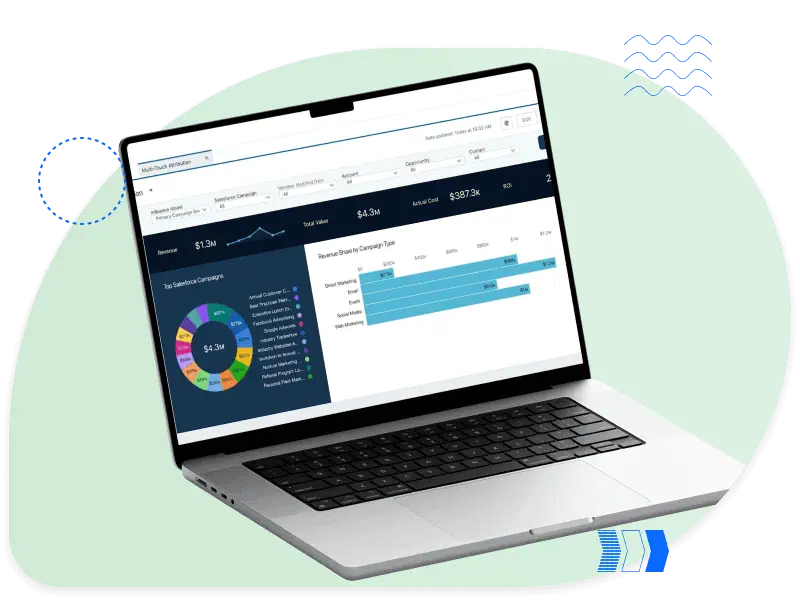
A calculator answers once. A report answers every month: cost on every campaign, revenue from won opportunities, the same definitions in Pardot or Marketing Cloud Next and Salesforce.
We set up campaign reporting, so ROI comes out of Salesforce instead of a spreadsheet someone rebuilds every quarter.
- Salesforce campaigns and a naming convention that follow your plan
- Campaign influence, so you see which campaigns fed the pipeline
- Salesforce reports on the funnel your sales team can read
 ROI vs ROASPipeline × Win Rate
More Free Tools
Marketing ROI Calculator FAQ
Short answers to what people ask about marketing ROI.
How do I calculate marketing ROI?
Subtract the total marketing cost from the gross profit it brought, divide by the cost and multiply by 100: (revenue × margin − cost) ÷ cost × 100.
Without a margin, the calculator uses revenue, which shows a higher ROI than the business earns.
What is the difference between ROI and ROAS?
ROAS is revenue divided by ad spend, a ratio such as 4×. ROI counts every cost (ads, tools, people, agency) and compares it with the profit. A ROAS above 1× can still mean a negative ROI.
What is a good marketing ROI?
Above 0% the spend pays back. How far above depends on your margin and sales cycle, and published figures rarely say which costs they count. Compare your own quarters, calculated the same way.
Should I use revenue or pipeline?
Won revenue when the deals have closed; pipeline × win rate when they haven’t, which is usual for B2B campaigns in their first months. Take the win rate from your own closed opportunities.
How do I calculate the ROI of marketing automation or a CRM?
Put the licences, the setup and the people who run it into cost, and the revenue it helped win into return. Count only revenue you can trace through campaigns, rather than all growth since go-live.
Are my numbers stored?
No. The calculator runs in your browser. Nothing you enter is sent to us or to analytics. The share link keeps the numbers after the #, a part of the address browsers never send to a server.
We Make Salesforce Marketing Work for You
Talk to a certified consultant, not a salesperson, and leave the first call knowing your next step.