10 Underused Pardot Features to Boost Automation ROI
Discover 10 underused Pardot features that can maximize automation ROI, improve segmentation, and boost team efficiency in Marketing Cloud.

Marketing Cloud Account Engagement (Pardot) is a robust marketing automation tool loaded with features that can help your team create smarter workflows and deliver more relevant messaging. But chances are, if you’re only using the standard features, you’re leaving significant ROI on the table.
In this guide, we’ll explore 10 underutilized Pardot features that can sharpen your automation strategies, improve team collaboration, and personalize your lead generation efforts like never before.
- Page Actions with wildcard URLs (like /pricing/*) let you automate on visits to a whole section of your site.
- You can simulate A/B tests in Engagement Studio with rule-based paths and an A/B value per prospect.
- Conditional completion actions (since 2022) run an action only when the prospect meets set criteria.
- A resubscribe confirmation email lets previously opted-out prospects opt back in securely.
- Completion actions can send Slack alerts, for example when a pricing request form comes in.
Page Actions with Wildcard URLs
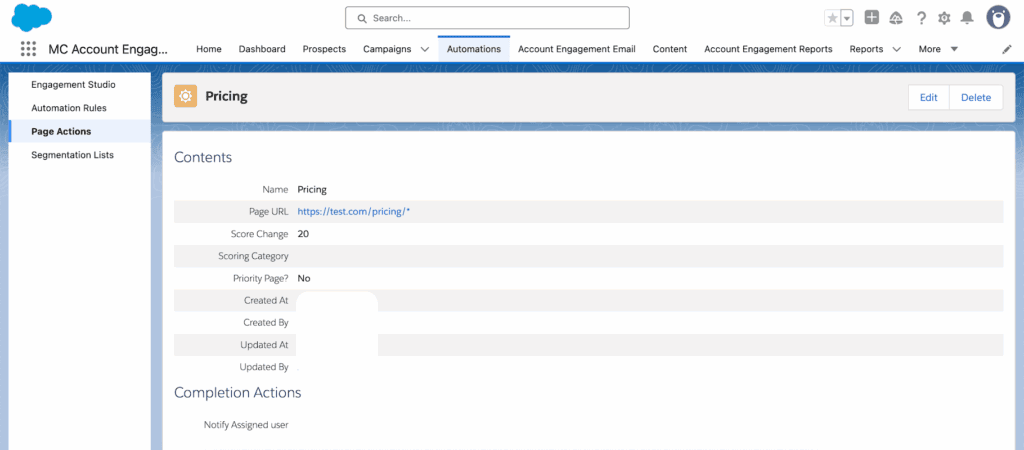
Page Actions let you automate based on page visits. But their true power lies in wildcard matching. Rather than list every URL, a wildcard like /pricing/* targets an entire section of your website.
For example, if a high-value prospect visits a pricing page, you could:
- Add them to a sales-ready list
- Increment a scoring rule
- Notify the deal owner instantly
Page Actions + Wildcards = smarter automation tied to buyer intent.
A/B Testing in Engagement Studio
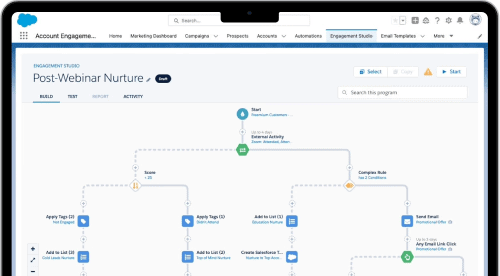
Engagement Studio is the brain of your nurture campaigns, but many marketers overlook its capacity for A/B testing. While there’s no official “A/B test” button, you can simulate one using rule-based paths.
By populating a formula field or running a flow in Salesforce, assign an A/B value to each prospect. Then, within Engagement Studio, use a Rule step to divide the audience based on that value – sending “A” group down one path and “B” down another. This lets you test email content, timing, or even channel usage in a controlled, repeatable way.
Chatter Collaboration for Content and Campaign Feedback
Slack dominates collaboration, but Chatter still has real value within Account Engagement’s Salesforce integration. Using Chatter with Pardot campaign records enables more accessible cross-functional feedback loops – especially where marketing meets sales.
Use Chatter to:
- Ask for feedback on drafts directly on the email asset record
- Share marketing collateral and relevant documents
- Allow sales reps to follow campaigns of interest
This boosts transparency and gets everyone informed faster without jumping between platforms.
Conditional Completion Actions
Introduced in 2022, this long-awaited feature lets you add logic to completion actions – like assigning a lead only if they meet certain criteria.
Before this, marketers had to rely on Developer support or complicated workarounds. Now you can dynamically assign MQLs, notify sales on high-value form submissions, or segment users directly – no code required. To enable it, ensure your visitors are tracked (cookied) and set the criteria directly on completion actions.
Dynamic Lists on Email Preference Pages
Email preference centers are too often seen only as a way to retain compliance. But they can also be a fluid subscription management experience.
By making dynamic public lists available in your email preference center, you offer opt-down choices driven by user behavior and profile data, not static categories. Prospects can unsubscribe from a single topic while remaining subscribed to others that match their interests. As your marketing evolves, updating list criteria is easier than reconfiguring the entire center.
Account Engagement Buttons in Salesforce Page Layouts
Sales and marketing alignment improves when both teams share tools. By adding Account Engagement utility buttons to Salesforce Lead and Contact page layouts, you empower sales to engage prospects more directly.
Useful buttons include:
- Add to Pardot List: Lets users add Leads or Contacts to CRM-visible lists based on segmentation
- Add to Engagement Studio List: Adds Prospects to both the list and the associated nurture program
- Send Pardot Email: Enables reps to send tracked marketing-approved emails directly from Salesforce
- Send to Pardot: Generates a corresponding Prospect record in Pardot
These tools help foster quick outreach and reduce admin bottlenecks.
Resubscribe Link for Previously Opted-Out Prospects
Not every unsubscribe is final. If a previously opted-out Prospect fills out a form, Pardot can now send a resubscribe confirmation email – allowing them to opt back in securely.
To activate this:
- Create a resubscribe confirmation email template
- Enable “Prospect Resubscribe” in your Account Engagement settings
It’s a simple fix that restores eligibility while maintaining compliance and respecting user preference.
Slack Notifications from Forms
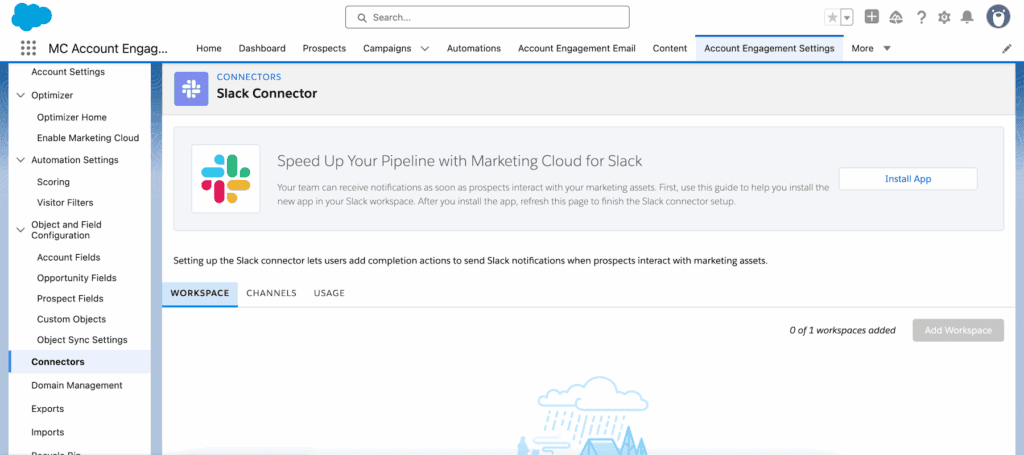
Form submissions don’t have to sit in queues. With Completion Actions, you can send prospect-triggered alerts directly to Slack channels.
Use case examples include:
- Notifying your BDR team when a pricing request form is submitted
- Adding contextual prospect data using Pardot merge fields
- Tagging stakeholders in real-time sales channels
With Slack playing a central role in cross-functional collaboration, this integration adds speed and visibility exactly where it’s needed.
Sync with Contacts Only or Person Accounts
Some Salesforce orgs don’t use Leads. Others primarily use Person Accounts. By default, Pardot tries to create a Lead for every new Prospect unless you configure otherwise.
There’s a small but critical setting in Account Engagement that allows you to sync Prospects to Contacts or Person Accounts only.
Before enabling this:
- Understand that it is irreversible
- Assess the change with your Salesforce architecture team
- Consult with an Account Engagement specialist to avoid sync issues
Once set up correctly, it aligns Pardot’s behavior with your CRM model – no more orphaned records or conversion workflows just to maintain cleanliness.
Third-Party Site Search Integration
Few know that you can leverage website search activity to trigger automations. When integrated correctly, Pardot can scan on-site search terms and take action based on what’s searched.
Use this to:
- Add a user to dynamic lists tied to interest in “pricing,” “partner program,” or “support”
- Notify Account Owners when their accounts’ users search for churn-risk phrases
- Trigger personalized follow-ups reflecting specific interest keywords
Setup is uncomplicated and doesn’t always require a developer – just alignment between your web and marketing teams.
Summary: Small Features, Big Impact
The strength of Pardot lies not just in the visible workflows, but in the under-the-radar tools that enable high-impact, scalable automation. Whether it’s leveraging wildcard Page Actions, shortening feedback loops through Slack and Chatter, or refining segmentation with resubscribe flows and dynamic preference centers – the opportunities are vast.
Need help enabling or optimizing these features? Let’s talk about how ConvertPilot can help you make the most of your Pardot investment.