Pardot Automation Rules vs Engagement Studios Explained
Learn the key differences between Pardot Automation Rules and Engagement Studio to choose the right tool for smarter marketing automation.

Choosing between Automation Rules and Engagement Studio in Salesforce Marketing Cloud Account Engagement (formerly Pardot) can feel like navigating a maze – especially for marketers transitioning from another platform. While both tools are designed to automate actions for specific prospect segments, they serve different use cases and levels of complexity.
This article breaks down the core differences, highlights where they overlap, and shows you when and why you’d use one over the other.
- Both follow the same logic: criteria pick the prospects, actions run when they match.
- Engagement Studio now has Complex Rules, so it handles multi-criteria segmentation too.
- Administrative actions lean toward Automation Rules.
- Automation Rules start from your whole database: best for data operations and logic across campaigns.
- Engagement Studio fits structured, time-based nurture campaigns with behavioral triggers like email opens.
Understanding the Foundations: Rules and Actions
At a fundamental level, both Automation Rules and Engagement Studio programs follow the same logic: identify a set of prospects based on defined criteria (input) and execute one or more actions (output) when those criteria are met. The key distinction lies in how and where they’re constructed – and the flexibility each provides.
Types of Criteria: Rules vs. Triggers
Engagement Studio allows you to define criteria using two types of decision steps:
- Rules: Identify what a prospect is (e.g., “Prospect Industry is Healthcare”).
- Triggers: Identify what a prospect does (e.g., “Prospect clicks link in email”).
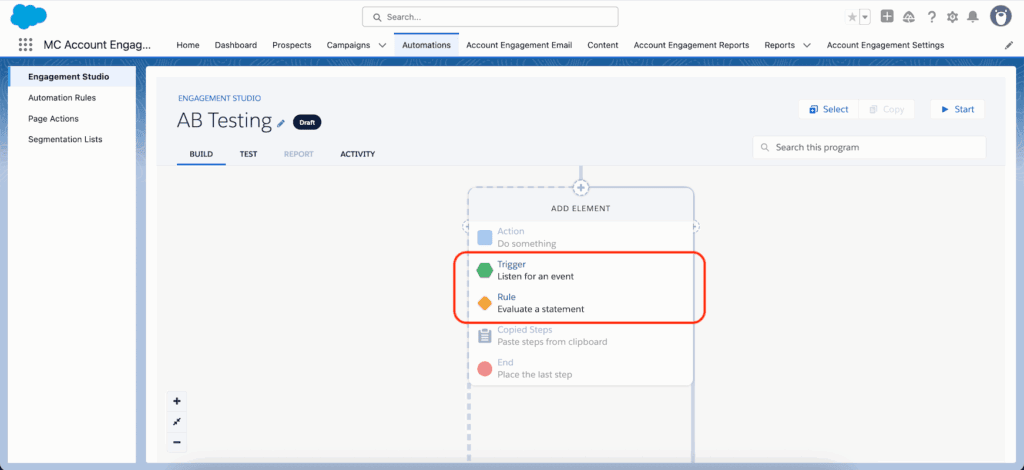
In contrast, Automation Rules only use rules based on prospect attributes – no real-time behavior tracking like triggers.
Comparison Table: Rules in Automation Rules vs. Engagement Studio
| Automation Rules | Engagement Studio |
|---|---|
| Prospect CRM Campaign | Salesforce Campaign [Rule] |
| Prospect Form | Form [Trigger] |
| Prospect Email Opens | Email Open [Trigger] |
| Prospect Score | Score [Rule] |
| Prospect Default Field | Prospect Default Field [Rule] |
While there’s significant overlap, some segmentation options – such as Account or Opportunity field-based criteria – are exclusive to Automation Rules.
Complex Rule Logic in Engagement Studio
Previously, marketers had to rely on Automation Rules for multifaceted segmentation. Now, Engagement Studio includes Complex Rules, allowing you to define multiple criteria in a single node and follow it with a relevant action. This narrows the functional gap, although the degree of flexibility still tilts in favor of Automation Rules for data-heavy operations.
Actions: What Happens After Criteria Are Met
Let’s shift our focus to actions – the outputs triggered once criteria are matched. Both tools cover a similar range of marketing actions, such as assigning a prospect, tagging them, or adjusting their score. However, the administrative actions lean heavily toward Automation Rules.
Tasks such as “Do Not Sync With CRM” or “Change Profile Criteria” are exclusive to Automation Rules, making them better for system-level updates.
Key Differences Between Automation Rules and Engagement Studio
Baseline Datasets
Automation Rules start with a blank canvas – the full database of prospects. You build granularity by applying rule criteria. This makes them ideal for:
- Database-wide updates and segmentation
- Mass email triggers based on custom logic
- Changes across unrelated marketing campaigns
Engagement Studio programs, on the other hand, only act on prospects already added to the program. This scoped dataset keeps marketing logic enclosed within specific campaigns.
Account and Opportunity Criteria
If your segmentation depends on Account or Opportunity data, Automation Rules are your only option. Engagement Studio doesn’t support Opportunity fields at the criteria level. For example, if you’re targeting all leads attached to open Opps over $50,000 – Automation Rules are your tool.
User Interface
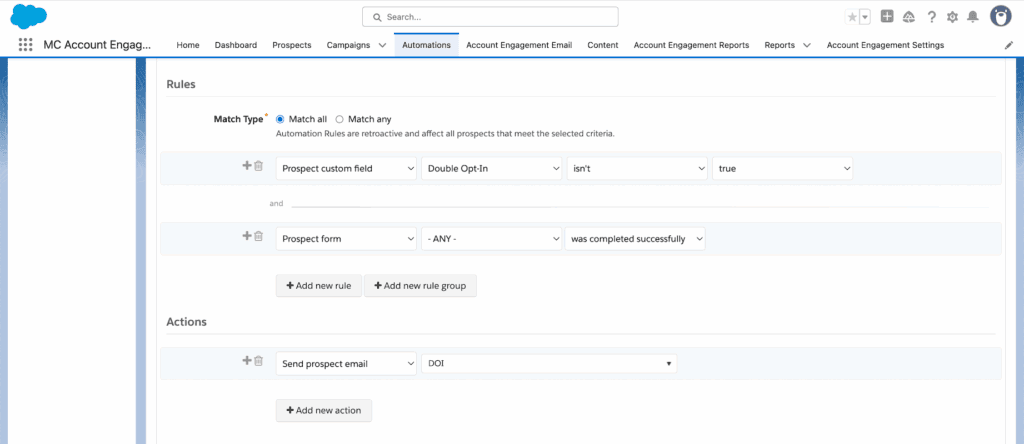
Automation Rules use a single-pane builder where rules and actions stack vertically. It’s clear and direct: define your conditions, then tell Pardot what to do. Simple logic like “If X and Y, then do Z” is easy to assemble.
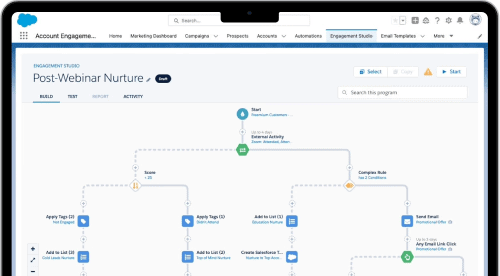
Engagement Studio is visual and node-based. While it’s better for mapping customer journeys and understanding the sequence of actions, the rules and outputs might live on different parts of the canvas, making complex logic harder to trace at a glance.
Repeatability
Both platforms allow actions to repeat, but in different ways:
- Automation Rules: Set how often a rule can re-fire and how many times a prospect can match.
- Engagement Studio: Repetition settings apply to the entire program – once completed, prospects can re-enter after a defined wait period. However, individual action timing depends on when the prospect reaches that step within the program flow.
When to Use Automation Rules vs. Engagement Studio
Choosing between the two depends on your campaign use case and desired outcomes. Here’s a loose framework:
- Use Engagement Studio when:
- You’re running a structured, time-based nurture campaign
- Actions are tightly linked to content or journey stages
- You want behavioral triggers like email opens or form submissions
- Use Automation Rules when:
- You need to apply mass changes to your entire database
- You’re working with advanced segmentation, especially Account or Opportunity data
- You’re setting up cross-campaign routines (e.g. scoring adjustments, tag management)
Final Thoughts
While Automation Rules and Engagement Studio both serve the automation function in Account Engagement, their best use cases are quite different. Automation Rules excel at data operations and global logic. Engagement Studio shines in nurturing and campaign-specific activity. Both tools can be repeatable, but the structure and entry logic vary – along with the depth of field and action accessibility.
If you’re unsure which tool fits a particular scenario – or want to explore how to streamline your marketing automation setup – get in touch with the team at ConvertPilot. We can help you design an automation strategy that balances scale with precision.